
Migration, onboarding, training and support
Switching to Estarivo doesn't mean starting again.
Years of customer records, installment schedules, payments, realtor networks, property inventory and investor registers can come with you from Google Sheets, Excel, CSV or another system. We help you move them, set up your company and train your team, then stay with you while it beds in.

What can come across
Thirteen kinds of records, in a sensible order.
Estarivo's import tool knows each of these record types, with column mapping, validation and duplicate checks. We usually start with bank accounts and estates, then customers and realtors, then sales, schedules and payments.
- Customers and prospects
- Realtors and their referral hierarchy
- Estates, phases and blocks
- Plots, houses and units with prices
- Sales and agreements
- Payment schedules (installments)
- Historical payments
- Outstanding balances
- Allocations and handovers
- Company bank accounts and opening balances
- Suppliers and opening payables
- Staff records
- Rental leases and deposits held
How it works
A careful move, with your team in control of every posting.
Step 1: Share your existing records
Export what you have from Google Sheets, Excel, CSV or your current software. We agree a secure way to exchange files; nothing goes through a public web form.
Step 2: We help prepare and migrate
We review the files with you, map supported columns to Estarivo, and run validation. Rows with problems are listed in an exceptions file with the reason, for your team to correct.
Step 3: You check, then approve
Each import shows a preview with its financial totals. A second authorised person in your company approves it before anything is posted. Imports run in chunks and can be rolled back where it is safe.
Step 4: We set up your company
Branding, branches and departments, estates and units, staff roles and permissions, realtors, approval rules and notification settings.
Step 5: We train your team
Practical sessions by role: management, accounts, administrators, sales staff and realtors, using your own data where possible.
Step 6: We keep supporting you
Help while your team settles in, through the in-app support channel and the contacts agreed during onboarding.
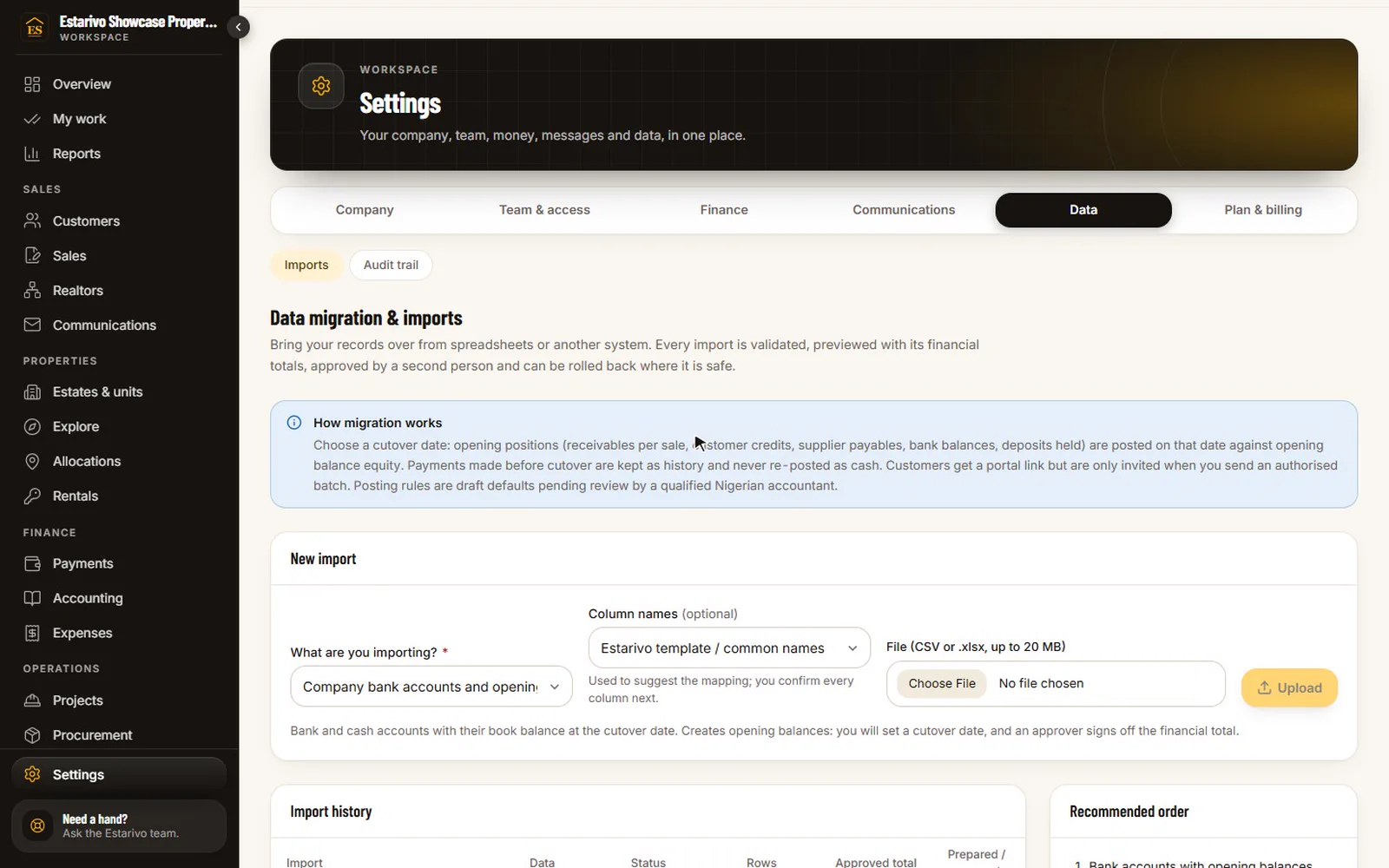
Recorded in Estarivo · demonstration company, fictional data · 16s · What it shows
- Bring records over from spreadsheets or another system
- Choose what you are importing: here, an existing customer list
- Columns are matched and every row is checked before anything is posted
In the application
The cutover is accounted for.
You choose a cutover date. Opening positions (receivables per sale, customer credits, supplier payables, bank balances, deposits held) are posted on that date against opening balance equity. Payments made before cutover are kept as history and are never posted again as cash. Imported customers are only invited to the portal when you send an authorised batch.
Being realistic
What migration depends on.
It works from records you can export. If a system has no export, we work from reports or spreadsheets your team can produce.
Data quality decides the pace. Missing phone numbers, merged cells and inconsistent plot codes are flagged for your team to fix; we don't guess.
We don't promise that every field from every system transfers unchanged. You see exactly what will come across before you approve it.
Your accountant should agree the opening balances. Estarivo's posting rules are draft defaults for them to review.
Training and support
We don't just give you software and leave you to figure it out.
Management
Dashboards, approvals, reports and what to look at every week.
Accounts
Verification, receipts, reconciliation, payables, journals and period close.
Administrators
Company settings, roles and permissions, branding, imports and notifications.
Sales staff
Leads, customers, reservations, sales, documents and collections.
Realtors
The realtor portal, links, clients, commission and incentives. Your own materials go in the realtor academy.
Continued support
Product help after go-live, plus eligible upgrades included in your plan.
Migration consultation
Tell us where your records are today.
We'll arrange a call to understand your records and show you Estarivo. You don't need to send any files now: please don't paste or attach customer data here.
What you use today and how many records you hold
Which records matter most to bring across
A realistic plan, including what needs cleaning first