
WhatsApp for real estate operations
WhatsApp, connected to your records instead of replacing them.
Your customers, realtors and staff already live on WhatsApp. Estarivo connects your company's own WhatsApp Business number through Meta's official Cloud API, so approved notices go out from your records and linked people can look up their own information with simple keywords.

Two different things
A real connection, not just a share button.
Share to WhatsApp
Property pages and realtor links have a share button that opens WhatsApp with a link filled in. Anyone can use it today; it sends nothing on the company's behalf.
WhatsApp Business connection
Your company's number on Meta's official platform: approved notices from Estarivo, linked accounts, keyword commands, opt-out handling and handoff to your team.
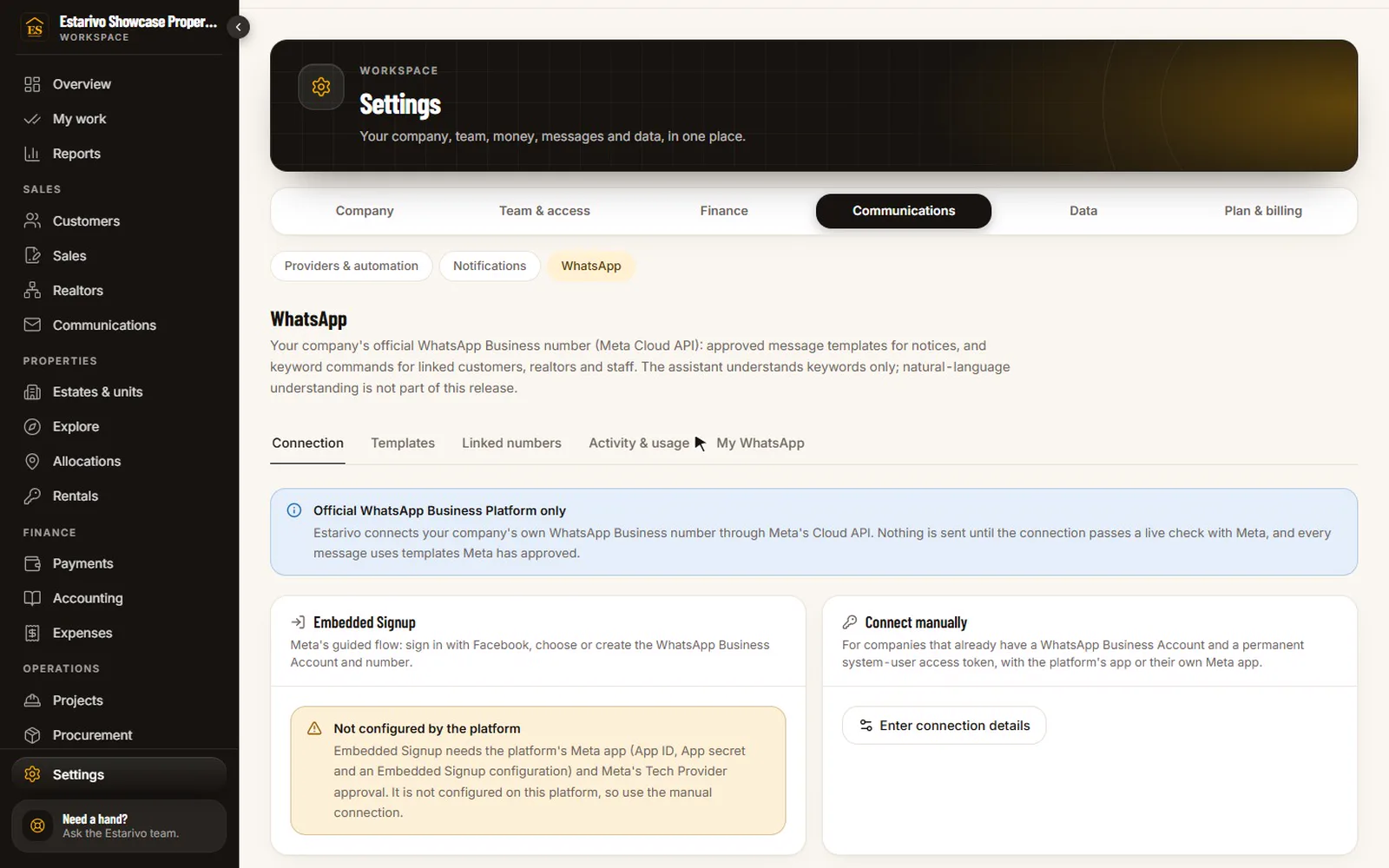
Recorded in Estarivo · demonstration company, fictional data · 14s · What it shows
- The company's own WhatsApp Business connection through Meta's Cloud API
- Templates
- Linked numbers
- Activity & usage
In the application
Set up from your company settings.
Connect through Meta's guided sign-up or with your own account details, sync your approved templates and map them to Estarivo notices, see linked numbers and activity. The recording shows these screens on a demonstration company without a live Meta connection; it does not show a live conversation.
Keyword commands for linked accounts
People link their number once, then ask for what they need.
Linking is verified, so a number only ever sees its own owner's records, with the same permission rules as the apps. Anything that isn't a keyword is passed to your team as a support request.
Customers
- BALANCEtheir balance
- DUEupcoming payment dates
- HISTORYrecent verified payments
- STATEMENTa link to their statement in the portal
- ALLOCATIONallocation date and venue
- DOCUMENTSdocuments available to them
- SUPPORTopen a support request
- PAIDtell you they have paid (evidence goes in the portal)
Realtors
- DUEStheir clients' upcoming payments
- SUMMARYa follow-up summary
- ALLOCATIONSscheduled allocations
- MILESTONEStheir sales milestones
- TASKStheir open follow-up tasks
- TASKcreate a follow-up task
Staff
- SUMMARYan operational summary
- TASKStheir tasks
- REQUESTSopen customer requests
- TASKupdate a task's status
Safety rules
Some things will never be done over WhatsApp.
Financial approvals, payment confirmation, ownership transfers, allocation completion and ledger changes are refused on WhatsApp; people are sent to sign in instead.
Notices are sent only to people who have opted in, using templates Meta has approved. Replying STOP opts a number out.
Statements and sensitive details need a quick confirmation, and unlinking a number removes its access immediately.
Messages are rate-limited, and every company's WhatsApp data is kept separate from every other company's.
Questions
Questions about WhatsApp
Does Estarivo support WhatsApp?+
Yes, through each company's own WhatsApp Business number on Meta's official Cloud API: approved notices, verified account linking, keyword commands and handoff to staff. Live use needs Meta's verification of your business.
Do we need a new phone number?+
You need a number registered to your WhatsApp Business account on Meta's platform. We'll explain the options, including what happens to a number already used in the WhatsApp Business app.
Who pays for WhatsApp messages?+
Meta bills the company's own WhatsApp Business account directly under Meta's pricing; Estarivo does not resell messages.
Can customers chat freely with the assistant?+
Not in this release. It understands keywords; other messages become support requests your team answers.
One system
Connected to the rest of your company
- Installments & collections Payment reminders and confirmations as approved notices.
- Realtors & incentives Realtors check their clients' dues and their milestones.
- CRM & customer portals Unanswered messages become support requests on the customer record.
- Development & construction Allocation dates and progress notices to opted-in buyers.
Talk to us about WhatsApp for your company.
We'll show the WhatsApp settings and explain the Meta verification steps for your own number, alongside the rest of Estarivo.