
CRM and customer portals
Every customer relationship, from first enquiry to handover.
Estarivo keeps one record per customer, with their enquiries, inspections, purchases, payments, documents, requests and the realtors and staff responsible for them, and gives each buyer a portal in your company's brand to see their own side of it.

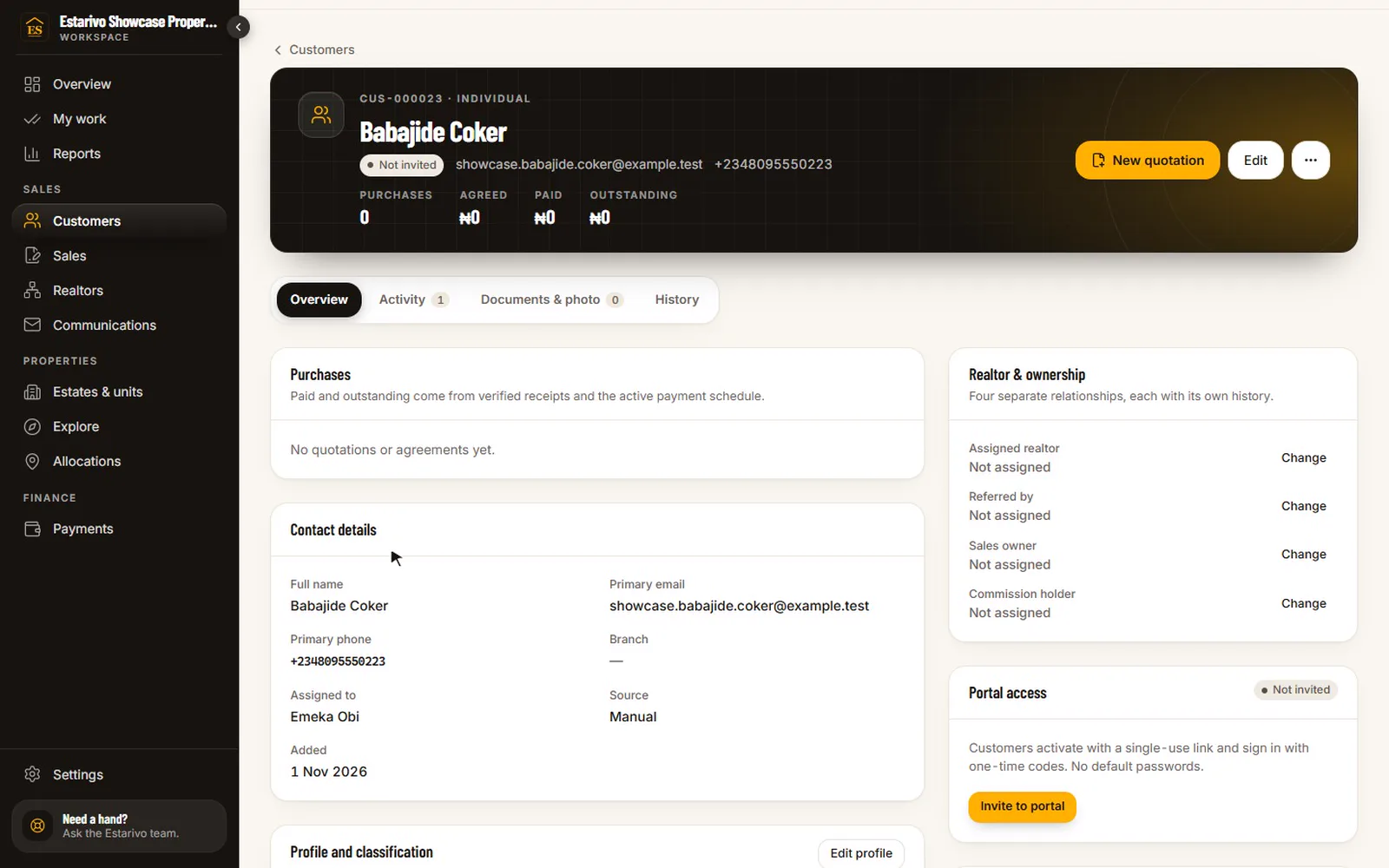
Recorded in Estarivo · demonstration company, fictional data · 10s · What it shows
- Customers, companies and joint purchasers
- One customer: purchases, balances, assigned realtor and contact history
- Leads and inspection requests, credited to the realtor who brought them
The customer record
Who they are, what they bought, who looks after them.
Individuals, companies and joint purchasers each have one record. Purchases, balances and payment status come from the sales and finance records, not from a copy. Relationships are explicit: who referred the customer, which realtor is entitled to commission, who the sales owner is, and why that changed if it did.
Before the sale
Leads and inspections that don't get lost.
Enquiries from your property pages, Explore, realtor links and walk-ins land in one pipeline with their source and attribution. Inspection requests, reservations and follow-up tasks stay attached to the lead until it becomes a sale, or doesn't.
Lead pipelineNew, contacted, qualified, inspection, negotiation, won or lost.
AttributionEnquiries from a realtor's tracked link are credited to that realtor.
InspectionsRequested online, scheduled, and recorded with the outcome.
ReservationsTime-limited holds on a unit, so two people can't be sold the same plot.
Duplicate reviewPossible duplicate customers are flagged for someone to merge or keep apart.
Branch visibilitySome roles see only their branch or their own customers.
After the sale
A customer portal that answers the calls before they're made.
Most buyer calls are the same few questions: how much do I still owe, did you receive my transfer, where is my receipt, when will I be allocated, how far has the building gone. The portal answers them from your records, in your brand, on any phone.
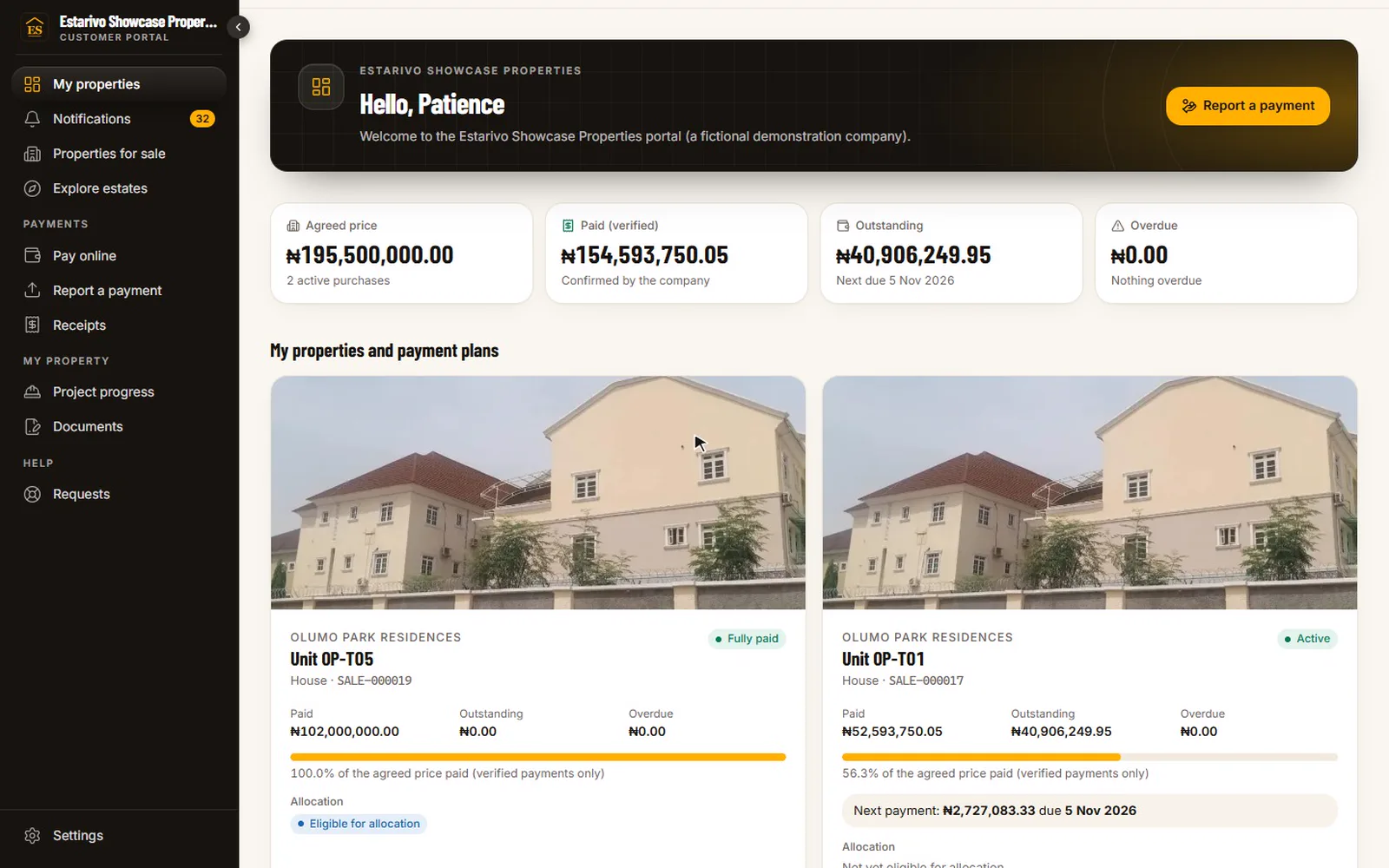
Recorded in Estarivo · demonstration company, fictional data · 14s · What it shows
- The buyer's home in the company's portal: property, balance and next payment
- Official receipts for every verified payment
- Construction progress updates published by the project team
Properties and plansEach purchase with its schedule, paid to date and next payment.
Report a paymentBuyers report a transfer with evidence; it waits for finance to verify.
ReceiptsOfficial receipts for every verified payment, each with a verification code.
DocumentsAgreements, allocation letters and other documents your team shares.
Progress updatesPublished construction updates for the buyer's estate.
Requests and supportQuestions and complaints logged and tracked to a response.
Installable apps
Install Estarivo on a phone or computer, straight from the browser.
The staff workspace, the realtor portal and the customer portal each install as an app on supported devices, opening from their own icon. There is nothing to download from an app store: people install from your company's own Estarivo address.
- Company team
/app - Staff workspace: sales, collections, finance, projects and approvals, as each role allows.
- Realtors
/realtors - The realtor portal: clients, sales, commission, team and incentives.
- Customers and investors
/portal - The customer portal: properties, payments, receipts, documents, tenancy and investments.
- Company team
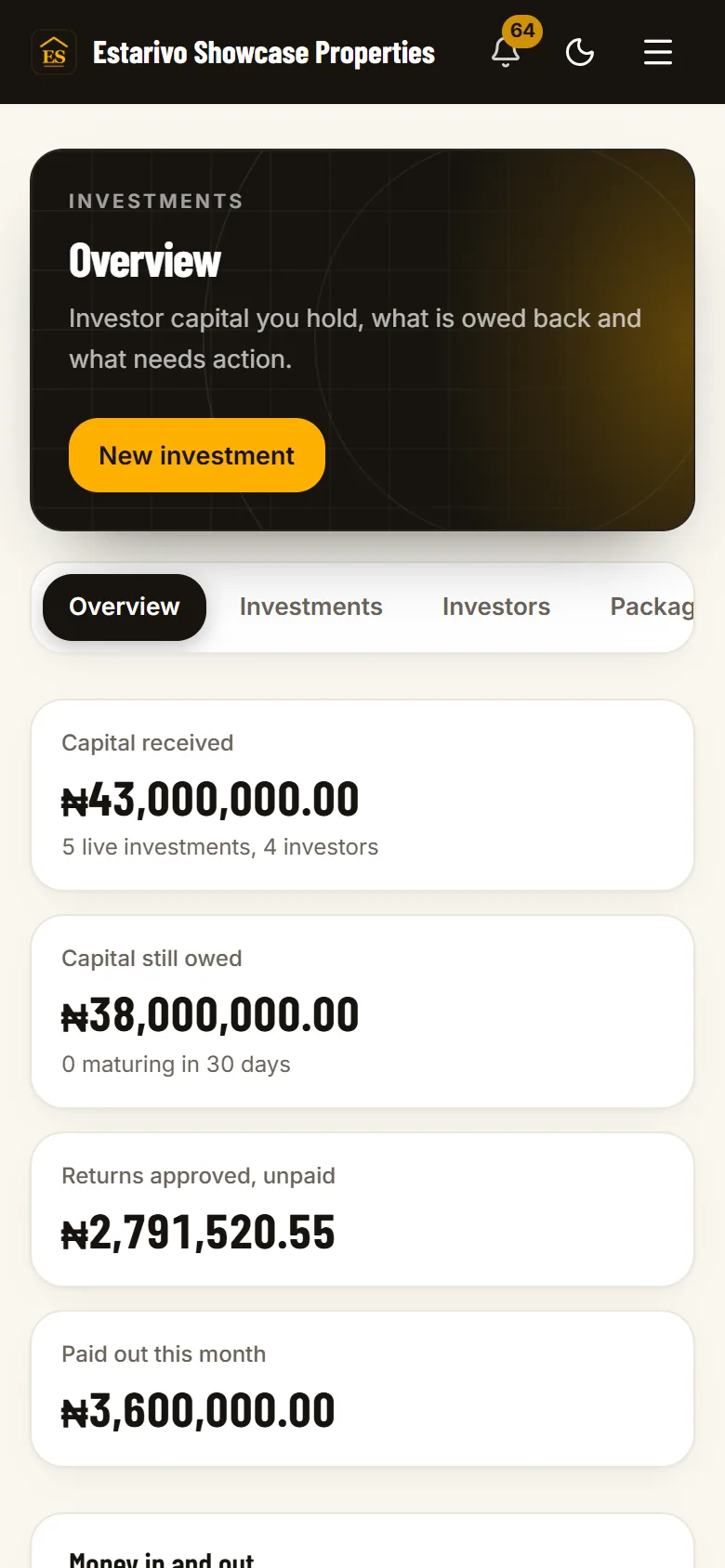
- Realtors
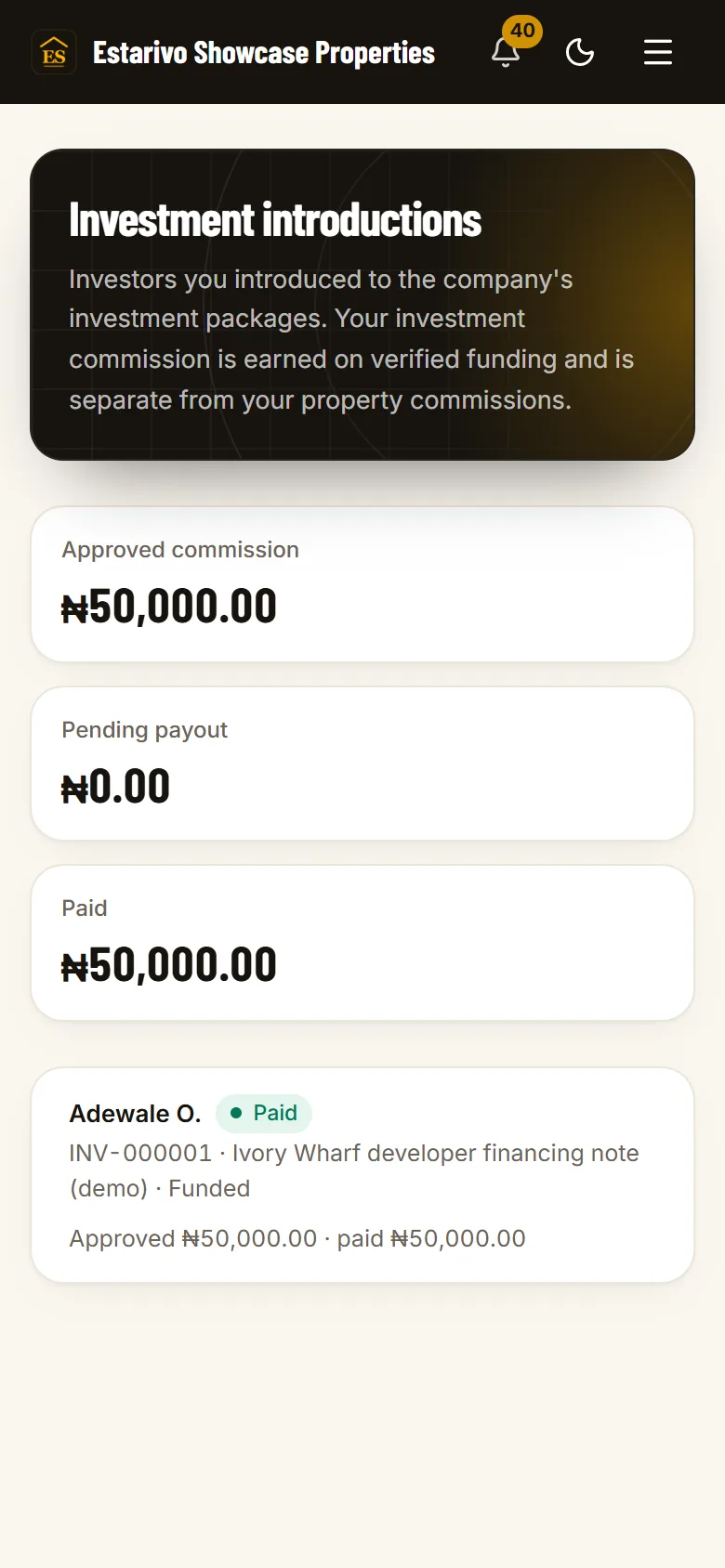
- Customers
Install step 1: Open your company's address
Sign in at your company's own Estarivo address: /app for staff, /realtors for realtors, /portal for customers and investors.
Install step 2: Android and computers
In Chrome or another Chromium browser on Android, or Chrome or Edge on a computer, choose Install app from the browser menu, or tap the Install button inside Estarivo where it is offered.
Install step 3: iPhone
Open the address in Safari, tap Share, then Add to Home Screen. Estarivo then opens from its own icon.
Questions
Questions about customers and portals
Can customers access their property information online?+
Yes. Each buyer you invite gets portal access to their purchases, payment schedule, receipts, documents, requests and published progress updates.
Do we have to invite every customer at once?+
No. Portal invitations go out in batches you authorise, so imported customers are never contacted before you are ready.
Does the portal carry our brand?+
Yes: your logo, colours and company name, on your Estarivo address or your own verified domain.
Can investors use the same portal?+
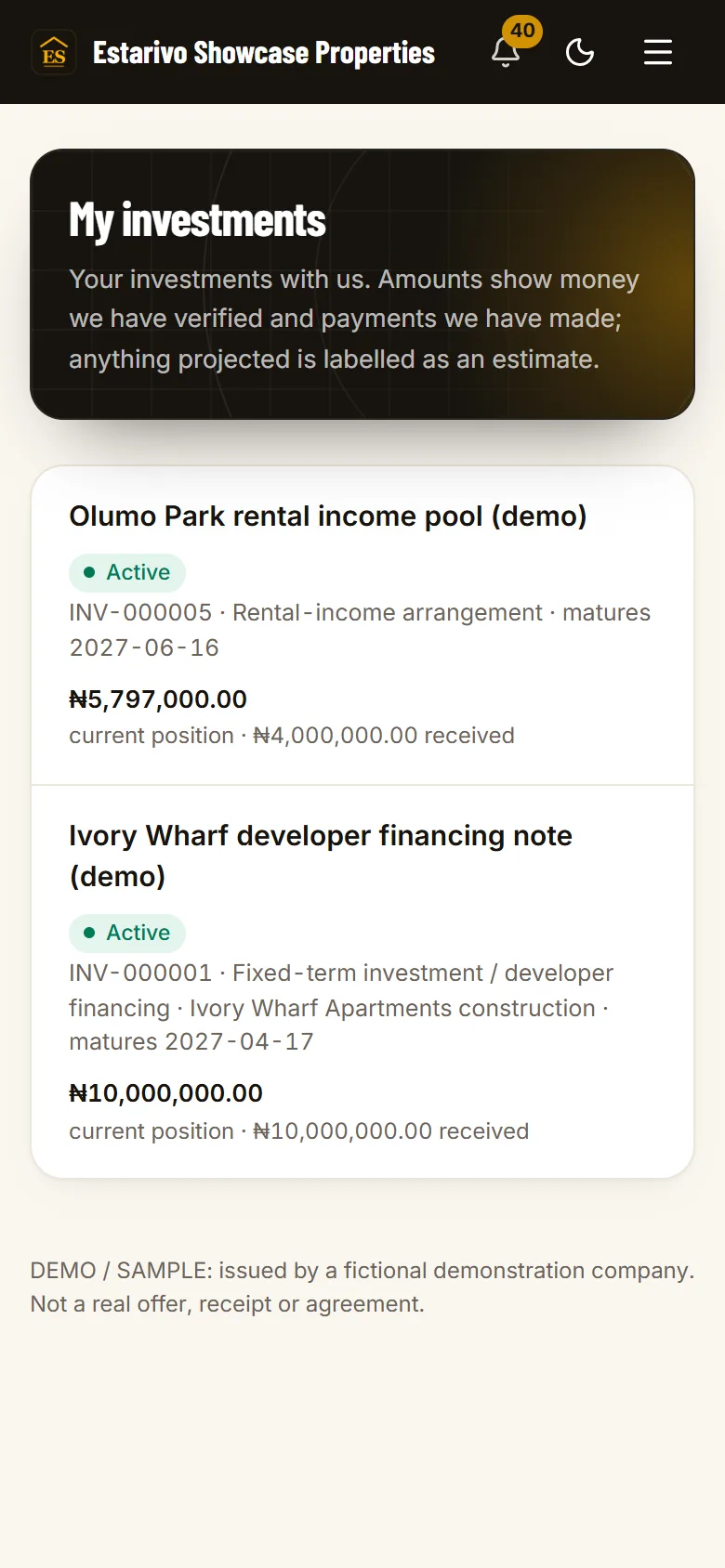
Yes. If your company runs investment arrangements, investors sign in to the same customer portal and see My Investments next to My Properties: their verified capital, contract terms, payouts made, scheduled payments and maturity dates.
Is there a mobile app?+
Yes, an installable app that comes from the browser rather than an app store. It is not in Google Play or the App Store, and it needs an internet connection: no financial transactions are recorded offline.
Can buyers pay through the portal?+
Buyers can report a transfer for verification. Online card and transfer payments work through your own Paystack or Flutterwave account once it is connected and live-tested.
One system
Connected to the rest of your company
- Installments & collections Balances and receipts in the portal come straight from finance.
- Realtors & incentives Leads and customers credited to the realtor who brought them.
- Estate maps & virtual tours Buyers explore estates and request inspections online.
- Development & construction Published progress updates for the buyer's estate.
- WhatsApp operations Linked buyers can check their balance by WhatsApp keyword.
- Investment management Investors see My Investments with the same customer login.
See what your buyers would see.
We'll show a customer record and the customer portal on a demonstration company, and talk through how your existing customer list would be imported and invited.